
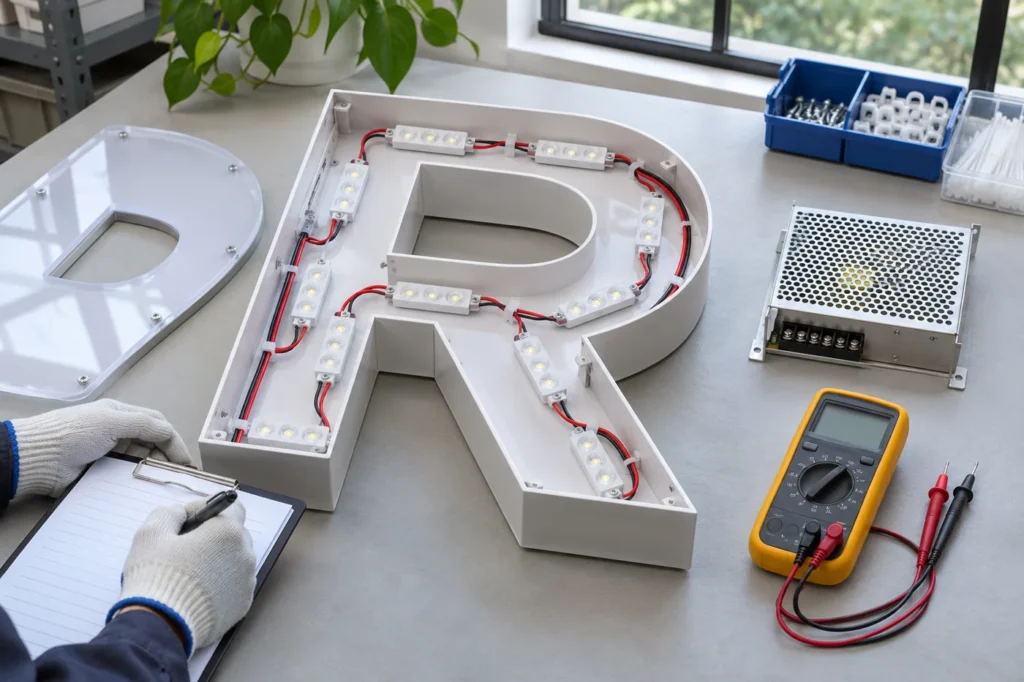
A sign that flashes after startup presents a different question from one that stays steadily lit but shows a dim patch. Treating both as a failed LED can lead to unnecessary replacements and an incomplete explanation. A useful channel letter diagnostic checklist starts with the symptom, the installed configuration and a clear record of when the problem occurs.
For existing led channel letters, ask a qualified service technician to investigate the electrical system. The buyer’s role is to supply accurate history and observations. Do not open energized equipment or change parts simply to see whether the symptom disappears. Preserve the evidence that can help identify the actual issue.
Describe the pattern before naming the cause
Record whether the whole sign is affected, one character is affected, or a particular part of a character looks different. Note whether the symptom occurs at startup, after a period of operation, during dimming or only under certain weather conditions. A short video and a written timeline are often more useful than the single statement that the sign is not working.
Distinguish what can be seen with the eye from what appears only in a camera recording. Camera settings can interact with the way a light source is driven, so a band in a phone video is not by itself a complete diagnosis. Send the original file and describe whether an observer at the sign sees the same effect.
Separate electrical symptoms from optical appearance
A consistently dim area may relate to the optical arrangement, face treatment or an obstructed light path rather than an intermittent electrical fault. Compare the sign with its approved sample and ask whether the face, internal components or configuration has changed. For acrylic illuminated letters, the acrylic and the lighting arrangement need to be considered together.
SloanLED’s density guidance varies with the module, can depth and face treatment, and recommends a sample evaluation of brightness, uniformity and color. This does not establish the correct layout for every manufacturer’s sign. It shows why a service review should understand the actual construction before assuming that simply adding more modules is an appropriate remedy.
| Observed symptom | Useful evidence | Question for the technician |
|---|---|---|
| Whole sign flashes | Timing, control setting and affected sections | Does the supply and control arrangement suit the load? |
| One section is intermittent | Location and operating history | Which connection or component group needs assessment? |
| Steady dark patch | Unlit and lit photographs from the same angle | Is this optical, physical or electrical? |
| Problem after a change | Previous and current component references | Has compatibility or configuration changed? |
Check compatibility against the actual records
Collect the original driver, module and controller references if available. Record any replacements, including when they were installed and why. Similar-looking components are not necessarily interchangeable. A technician needs the rated supply arrangement, load and control method to assess compatibility rather than relying on appearance or a broad label such as LED transformer.
MEAN WELL’s application FAQ discusses startup and flicker issues associated with supply and driver arrangements. It is relevant background for a technician’s assessment, not proof that a particular installed supply has failed. Avoid treating a catalogue rating or brand name as a diagnosis. The installed configuration and operating conditions still need to be reviewed.
Consider the face and viewing conditions
Photograph front lit led channel letters from a consistent position and include an overall view. Reflections, surface contamination and the viewing direction can change how a patch appears. For backlit channel letters, also record the wall surface behind the sign; the visible halo depends on that receiving surface as well as the letter itself.
If the sign has been cleaned, repainted, moved or fitted with a new face, include that information. A service team can then distinguish a new symptom from an appearance change caused by a modified surface. Do not discard a replaced face or component until the responsible technician has advised what records are needed.
Finish with a documented service outcome
Ask the service provider to record the observed condition, the checks undertaken and any component or configuration change. Request a comparison under the conditions that originally produced the complaint. If a problem occurred after extended operation, a brief startup photograph alone does not establish that the same condition has been addressed.
Keep the final record with the order number, drawing revision and original sample approval. This makes a future service conversation more specific and helps the manufacturer understand whether the same issue has returned or a different condition has developed. Good evidence does not replace technical assessment, but it makes that assessment more focused.
Frequently Asked Questions
Does visible flicker always mean the power supply has failed?
No. Supply, load, control and component compatibility can all be relevant. A qualified technician should assess the actual arrangement rather than replacing a part based on one symptom.
Why can a dark patch remain steadily illuminated?
An optical or physical issue can affect light distribution without producing an intermittent electrical symptom. Compare the face, construction and approved sample as part of the review.
What should I send when requesting support?
Provide the order reference, symptom timeline, overall and close photographs, a short original video, known component references and details of any recent changes.
Technical References
MEAN WELL Application FAQ; SloanLED Channel Letter Density Guidelines.
Discuss Your Project
Share your artwork, approximate dimensions, installation location and delivery country with HLW Sign. Contact our team for a project-specific review and quotation.